iPhone Repair in Papakura
Broken screen, flat battery, no charge or water damage? Mobile Smart repairs all iPhone models at 79 O'Shannessey Street, Papakura. You get a free diagnosis and a clear quote before any work begins, and many repairs can be done the same day.
iPhone Repair You Can Rely On in Papakura
Mobile Smart is a Papakura repair shop that fixes iPhone screens, touch faults, batteries, charging problems, back glass, speakers, cameras and water damage. Every job starts with a free diagnosis, so you know the cause, the cost and the timeframe before you say yes.
A broken iPhone interrupts everything: calls, banking, photos, work messages. We aim to keep your downtime short, and many common repairs can be completed on the same day when the part for your model is in stock.
We work on iPhones from the iPhone 6 series up to current iPhone 16 and 17 models, and we look after customers across Papakura, Takanini, Drury, Red Hill and surrounding south Auckland suburbs.
- Screen and touchscreen replacement
- Battery replacement for slow or shutting-down iPhones
- Charging, boot-loop and power fault diagnosis
- Back glass, camera lens and speaker repair
- Water and accidental damage assessment
- All iPhone models, including SE, Plus and Pro Max
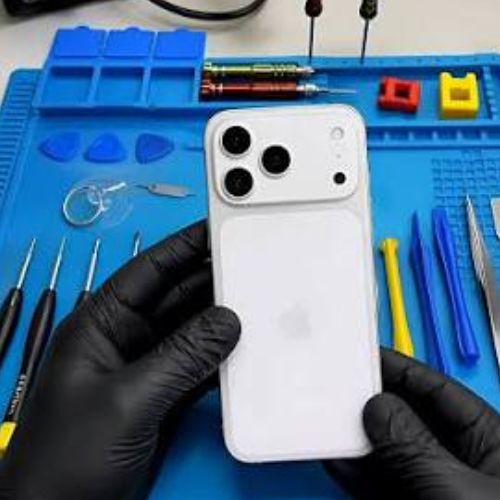
iPhone Faults We Diagnose and Repair
Tell us the symptom and we'll find the cause. Our technicians test the phone first, so you only pay for the repair it actually needs.
iPhone Screen & Touch Repair
Smashed glass, ghost touches, dead zones or a display that stays black. We test the screen and touch response to confirm what needs replacing.
iPhone Battery Replacement
Dying before lunch, shutting off at 30%, or a battery health figure that keeps falling? A fresh battery is often the fix.
Charging & Power Faults
Won't charge, charges slowly, overheats, or reboots on the Apple logo. We trace the fault to the port, battery or board.
Back Glass Repair
A cracked back panel looks bad and can let in dust and moisture. We assess the damage and explain your options.
Speaker, Mic & Camera Repair
Muffled calls, quiet loudspeaker, blurry photos or a cracked lens. Each part is tested individually.
Water Damage Assessment
Liquid inside your iPhone keeps causing damage after it dries. Switch it off and bring it in quickly for inspection.
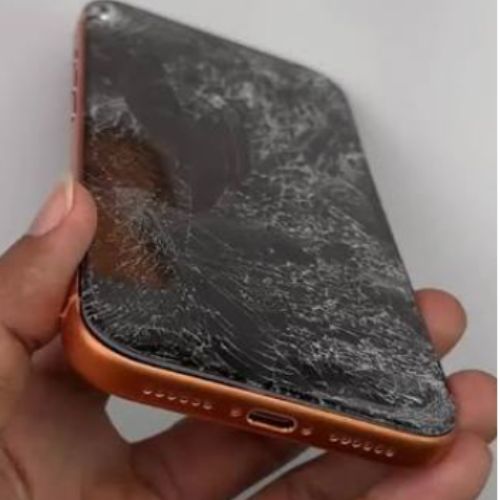
iPhone Screen Repair in Papakura
An iPhone screen replacement swaps the damaged glass and display for a new assembly. It is the repair we're asked for most, and for many models it can be completed the same day.
A screen can also fail without looking cracked. After a drop, you might get dead zones, ghost touches or a display that stays dark, and a quick test tells us whether the screen or something behind it is at fault.
- Cracked or shattered front glass
- Touchscreen unresponsive or typing by itself
- Black, flickering or discoloured display
- Lines, dead pixels or spreading dark patches
- Screen problems after a drop or pressure damage
iPhone Battery Replacement in Papakura
If your iPhone no longer lasts the day, a new battery is usually the quickest, cheapest way to bring it back to life. Every charge cycle wears the battery down, and Apple designs iPhone batteries to keep up to 80% capacity after 500 full cycles (1000 on iPhone 15 and later).
To check yours, go to Settings, then Battery, then Battery Health & Charging. If the number is low, or your phone behaves like the list below, we'll test the battery before recommending a replacement.
Signs of a worn-out iPhone battery
- Maximum Capacity has fallen well below 100%
- Charge drains fast, even with light use
- iPhone switches off suddenly at 20% to 40%
- Phone runs hot while charging or in your pocket
- Bulging screen or back panel, a sign of a swollen battery
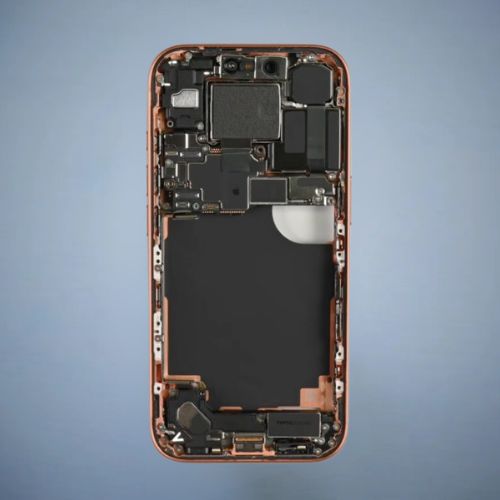
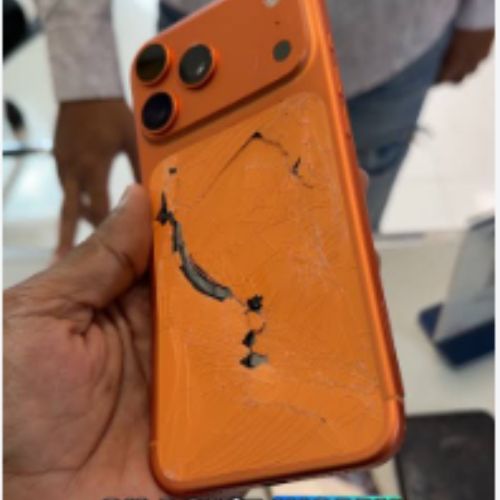
iPhone Back Glass, Speaker & Camera Repair
With glass on both sides, an iPhone often takes damage on the back as well as the front. A cracked back panel can cut your fingers and let dust or moisture inside, and a damaged lens spoils your photos.
Sound problems have their own causes, so we test the loudspeaker, earpiece and microphone one by one. That way a quiet speaker doesn't get a more expensive repair than it needs.
- Cracked or shattered back glass
- Cracked camera lens or foggy, spotty photos
- Loudspeaker quiet, distorted or crackling
- Earpiece too faint during calls
- Microphone not picking up your voice
iPhone Charging Repair, Papakura
The most common reason an iPhone won't charge is lint and dirt packed into the charging port, which stops the cable seating fully. If it isn't that, the cause may be a worn port, a failing battery or a fault on the board.
Try a different cable and adapter first, as damaged cables are very common. If the problem continues, or your iPhone restarts on the Apple logo, shuts down suddenly or heats up, bring it in and we'll pinpoint the cause.
- iPhone not charging, or charging very slowly
- Only charges when the cable is held at an angle
- Stuck on or repeatedly rebooting at the Apple logo
- Sudden shutdowns or overheating
- Visible lint, dirt or corrosion in the charging port
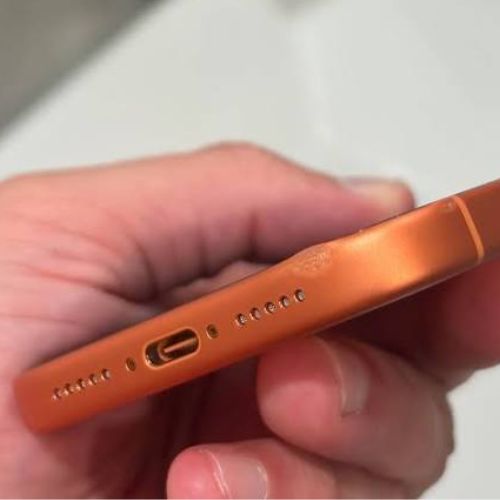
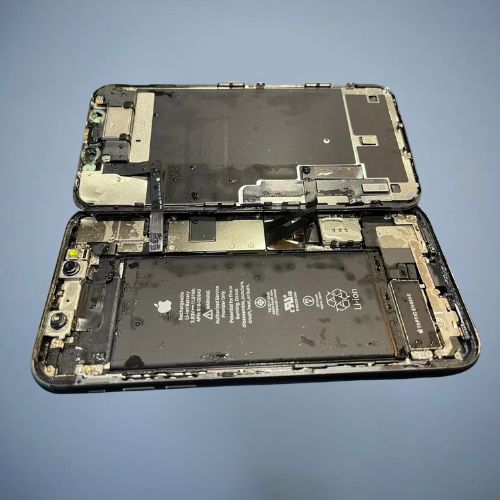
Water-Damaged iPhone? Act Fast
iPhones resist splashes, but they are not waterproof, and the seals can weaken after drops, previous repairs or simply age. Liquid can keep corroding internal parts long after the phone feels dry, and some phones that appear fine at first fail days later.
Switch your iPhone off, don't charge it, and skip the rice and the hairdryer. The sooner a technician inspects it, the better the chance of limiting the damage.
- Dropped in a pool, sink, toilet or the sea
- Drink spilled on the screen or charging port
- iPhone dead or won't switch on after getting wet
- Moisture or fogging behind the camera lens
- Touch faults, restarts or speaker issues after liquid contact
iPhone Models We Repair
From the iPhone 6 through to the iPhone 17 series, we can assess and repair most iPhones. Part availability depends on your exact model, so call us to confirm.
Why Papakura Chooses Mobile Smart for iPhone Repair
No guesswork and no surprises: just a clear diagnosis, a fair quote and a repair done properly.
We find the cause first, so you only pay for the repair you need.
Many common repairs are finished the same day, where parts are in stock.
You approve the price and timeframe before any work begins.
Talk face to face with the technician at our O'Shannessey Street store.
iPhone Repair in 4 Simple Steps
From broken to working with no complicated process.
Back Up & Bring It In
Back up to iCloud if you can, then visit our Papakura store or call ahead to confirm parts.
Free Diagnosis
We test your iPhone and identify the failed part or cause.
Approve the Quote
We explain the price and timeframe, and start only when you agree.
Test & Collect
We check the repair works, then hand your iPhone back ready to use.
Need iPhone Repair in Papakura Today?
Call us or send a request for a free diagnosis and a clear quote. Many common repairs can be completed the same day.
iPhone Repair Questions, Answered
Straight answers to what Papakura customers ask us most.
How much does iPhone repair cost in Papakura?
The price depends on your iPhone model and which part has failed. Older models are generally cheaper to repair than the newest Pro models, and a battery swap costs less than a screen or back glass replacement. Mobile Smart gives a free diagnosis and a clear quote before any work starts. Call 09 296 6967 to get yours.
Should I repair my iPhone or buy a new one?
Repair is usually the better value when the fault is a cracked screen, weak battery, charging problem or broken back glass. As a rule of thumb, if the repair costs well under half the price of a comparable replacement phone, fixing it makes sense. We give you an honest opinion after diagnosis, including when replacing is smarter.
How long does iPhone repair take?
Common repairs such as screen and battery replacements can often be finished the same day, sometimes within a few hours, when the part is in stock. Faults that involve the logic board or water damage take longer, because they need careful diagnosis. Call Mobile Smart on 09 296 6967 for a timeframe on your model.
Why is my iPhone touchscreen not working after a drop?
A dropped iPhone can lose touch response because the display assembly is damaged, even when the glass looks fine, or because a connector has loosened. Symptoms include dead zones, ghost touches or a screen that won't respond. We test the touch response and the display to confirm whether a screen replacement is needed.
My iPhone is stuck on the Apple logo or keeps rebooting. Can you fix it?
Often, yes. Being stuck on the Apple logo or restarting repeatedly can come from a failing battery, a charging fault, a software problem or liquid damage. We check the hardware first, because a worn battery is a common and fixable cause. Bring it in before you try a full restore, which would erase your data.
How do I know if my iPhone needs a new battery?
Check Settings, then Battery, then Battery Health & Charging. A low Maximum Capacity, fast drain, unexpected shutdowns or a phone that only works while plugged in all point to a worn battery. Apple designs iPhone batteries to keep up to 80% capacity after 500 full charge cycles (1000 on iPhone 15 and later).
What should I do if my iPhone gets wet?
Switch it off immediately, do not charge it, and avoid rice or hairdryers. Wipe the outside gently and get it inspected as soon as you can, because corrosion can keep spreading inside after the phone dries. iPhones are water-resistant, not waterproof, and that resistance can fade with age or earlier damage.
Can you fix a cracked iPhone back glass or a faulty speaker?
Yes, we can assess both. A cracked back glass can allow dust and moisture in and cut your fingers, so it is worth fixing. For sound problems, we test the loudspeaker, earpiece and microphone separately, since a muffled call, low volume or crackling can each have a different cause.
Will I lose my data during an iPhone repair?
For most repairs, such as a screen or battery replacement, your data stays on the phone. Serious faults like logic board or liquid damage carry more risk. We strongly recommend backing up to iCloud or a computer before any repair, and doing it before you bring the phone in if you can.
Will an iPhone repair affect Face ID or True Tone?
It can on some models. Newer iPhones pair certain parts, such as the screen and battery, to the device, so a non-Apple repair may trigger a part message in Settings or affect a feature like True Tone. We explain the likely effect for your specific model before you approve the work.
Which iPhone models do you repair?
Mobile Smart repairs a wide range of iPhones, from the iPhone 6 and 6s, 7, 8, X, XR and XS through the 11, 12, 13, 14 and 15 series, to current iPhone 16 and 17 models, plus all iPhone SE generations and Plus, Pro and Pro Max variants. Part availability depends on your model, so call to confirm.
Where can I get iPhone repair in Papakura?
Mobile Smart is at 79 O'Shannessey Street, Papakura, Auckland, and also serves Takanini, Drury, Red Hill, Opaheke, Conifer Grove and Pukekohe. Call 09 296 6967 before visiting so we can confirm that your part is in stock, or send a request through our online repair form.
iPhone Repair Near Papakura, Takanini, Drury & Red Hill
Mobile Smart, 79 O'Shannessey Street, Papakura, Auckland, repairs iPhone screens, batteries, charging faults, back glass, speakers, cameras and water damage for customers across south Auckland. Call 09 296 6967 to discuss your iPhone.
Call 09 296 6967